

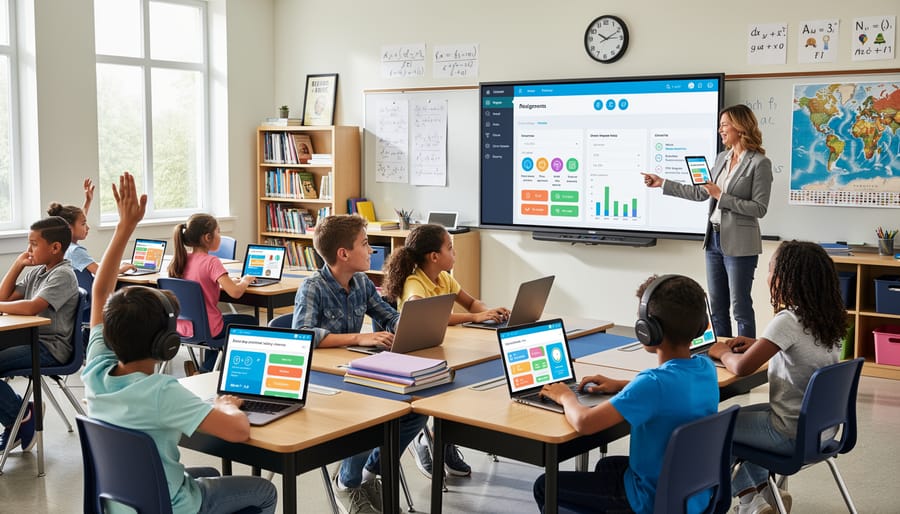
K-12 education software is any digital tool built to support teaching, learning, and school administration for students from kindergarten through twelfth grade. That covers learning management systems, adaptive practice platforms, assessment and gradebook tools, student information systems, and the classroom apps that sit between them. The common thread is context: these products are designed around state standards, age-appropriate content, parental involvement, and strict student data privacy rules, not around the job-skills outcomes that drive corporate training or the self-directed learners typical of higher ed.
For eLearning professionals and L&D decision-makers, the category matters for two reasons. It shapes the expectations of the next workforce, since learners arrive having used adaptive, gamified, data-rich tools for twelve years. And it’s a useful benchmark for how automation is changing instruction, from auto-graded assessments to systems that adjust content difficulty and flag struggling students without a teacher intervening manually. These automated education enhancements save teachers hours, but they also raise real questions about data, accuracy, and oversight.
This explainer defines the technology, walks through how it works, maps the main product types, and shows where schools actually use it, with jargon explained along the way.
What K-12 Education Software Means
How K-12 Software Differs From Corporate and Higher-Ed Platforms
If you’ve built training in a corporate LMS, much of what you know carries over, but four things change. First, learners are children. They have little autonomy, so software has to guide them with age-appropriate interfaces, simple navigation, and teacher-controlled pacing instead of self-directed, choose-your-own-path learning.
Second, compliance is heavier and more specific. In the US, student records fall under FERPA, and products aimed at children under 13 must account for COPPA, which governs how personal data is collected and consented to. A COPPA compliance for vendors overview is a useful starting point if you’re moving into this space. Most corporate LMS deployments never face this level of scrutiny over learner data.
Third, parents are stakeholders. They expect visibility into progress and a way to contact teachers, which adds a communication layer you rarely see in workplace training or university platforms.
Finally, buying works differently. Districts typically purchase through committees, budget cycles, and formal reviews, so sales timelines run long and pilots matter. Higher ed offers a closer comparison on autonomy and procurement, but K-12 adds stricter privacy duties and a much younger audience.
How K-12 Education Software Works Behind the Scenes
Where Automation Adds Value (and Where Teachers Still Lead)
Automation earns its keep on work that is repetitive and rules-based. Grading multiple-choice and other objective items is the classic example: the software scores instantly, logs the results, and flags the questions most students missed. Attendance capture, bell-schedule building, and routine parent notifications follow the same pattern. So do practice recommendations, where an adaptive engine sequences the next set of problems based on recent answers. Much of this depends on clean data flowing through SIS rostering to apps since a wrong roster means wrong assignments and wrong reports.
Teachers still lead wherever judgment, context, and relationships matter. Feedback on a complex essay needs someone who understands the student’s voice and growth, not just a rubric score. Classroom culture, restorative conversations, and decisions about who needs an intervention rely on what a teacher sees day to day, which dashboards only partly capture. An alert can tell you a student is falling behind. It can’t tell you why.
That split is why automated education works best as support rather than substitution. It also calls for healthy skepticism. Vendors often cite AI accuracy or learning gains without showing how they were measured. Ask for independent evidence, the sample and context behind any results, and a pilot period where your own staff can check the output against their professional judgment.
Types of K-12 Education Software and Their Core Components

Core Components Found Across Most Platforms
Most K-12 platforms are assembled from the same five building blocks, even when the products look nothing alike on the surface.
The first is a content library or authoring tools. This is where lessons, videos, practice sets, and activities live, and where teachers or vendors create more of them. Second is the assessment engine, which delivers quizzes and tests, scores objective items automatically, and stores results. Third is the analytics dashboard, which turns activity and score data into reports for teachers, administrators, and sometimes parents.
The fourth component is the communication layer. It covers messaging, announcements, parent notifications, and collaborative spaces such as discussion forums where students can respond to prompts and to each other. Fifth is the integration or API layer, which connects the product to the student information system, single sign-on, and other tools through rostering standards so nobody retypes class lists.
What changes between products is the weighting. A learning management system leans on content delivery, communication, and integrations. An adaptive practice tool puts most of its effort into the assessment engine and analytics, with a thin content wrapper. A student information system centers on records and reporting, with little instructional content at all. Knowing which components a product emphasizes tells you quickly what it is actually built to do.
How K-12 Education Software Is Used in Schools and Beyond
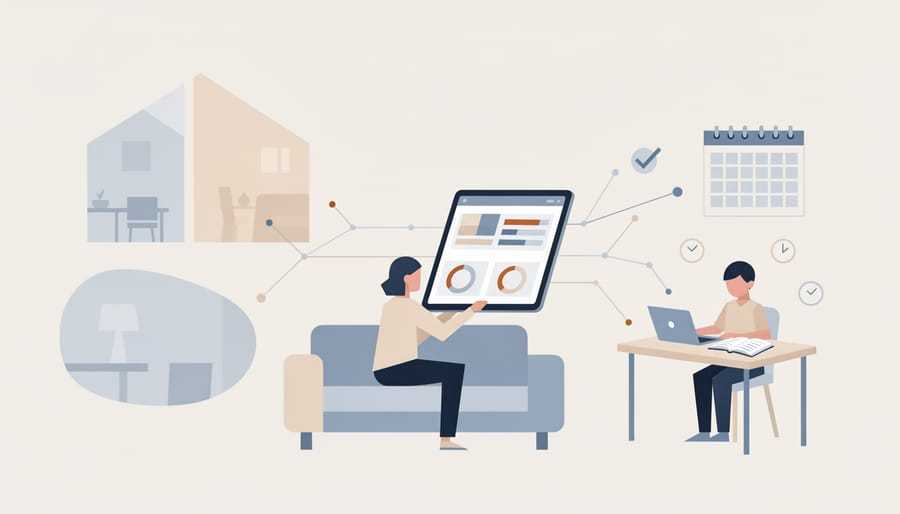
In a typical school day, the same platform serves four very different people, and what each one gets out of it is quite different.
Teachers use K-12 software mostly to save time and tailor instruction. Objective quizzes grade themselves, so a teacher can see which standard the class missed before the next lesson instead of after a weekend of marking. Practice sets and reading assignments can be differentiated by group, which makes small-group instruction far easier to run.
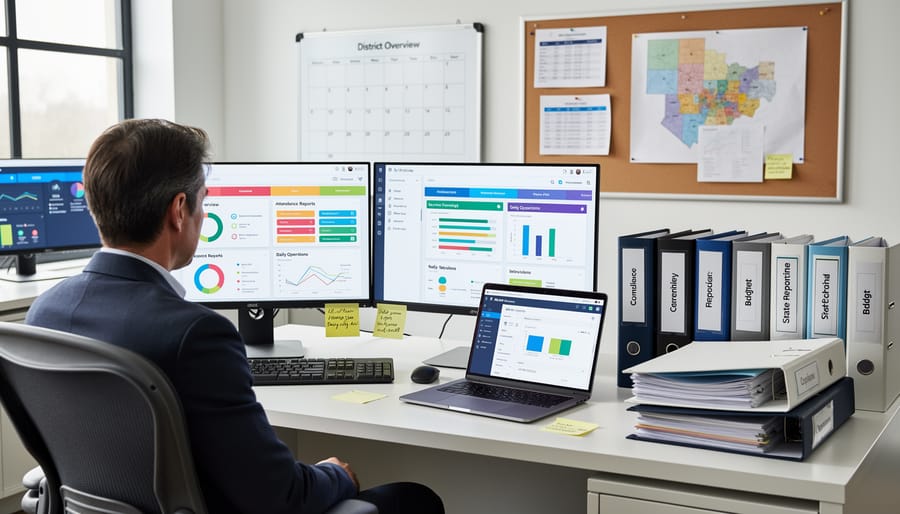
Administrators lean on automated reporting. Attendance, enrollment, assessment and intervention data roll up into dashboards and compliance reports that once took staff days to assemble by hand. That same data supports resource planning, such as deciding where to place tutors or which licenses are actually being used.
Students experience the software as adaptive practice. A math program may adjust problem difficulty based on recent answers, and a reading tool may suggest the next text. Parents, meanwhile, see progress through portals and automated alerts for missing work or low grades.
These tools also make blended, remote and hybrid models workable. Lessons, submissions and feedback live in one place, so learning continues when students are home, and teachers can run flipped or rotation-style classes without juggling paper.
For eLearning professionals, the crossover is real. Corporate training content can be repurposed for school workforce development, teacher professional development, and career and technical education pathways such as IT support, healthcare basics or skilled trades. The main adjustments are age-appropriate pacing, alignment to standards, and student privacy rules. Vendors weighing that move should also look at how to choose an LMS that supports live sessions and rostering, since schools expect both. It also pays to understand course completion costs because districts increasingly ask whether engagement features translate into finished work.
Questions Readers Commonly Ask About K-12 Education Software
Schools and vendors tend to ask the same handful of questions once they move past the definition. These are the ones that come up most, with answers that should hold up regardless of which product or year you’re looking at.
How is K-12 software different from a corporate LMS?
K-12 platforms serve minors, so they build in age-appropriate design, parent visibility, and stricter student privacy rules. They also connect to student information systems and follow school-year calendars and district purchasing cycles, which most corporate LMS products don’t.
How do schools protect student data?
Districts typically require vendors to sign data privacy agreements, limit the data collected to what the tool actually needs, and use single sign-on with role-based access. In the US, tools must also align with laws such as FERPA and COPPA.
What should districts look for before adopting a tool?
Start with the learning problem you’re trying to solve, then check privacy terms, interoperability with your rostering and sign-on systems, accessibility, and total cost, including training and support. A short pilot with real teachers and students will tell you more than a demo will.
Does automation replace teachers?
No. Automation handles repeatable work like grading objective items, scheduling, and sending progress alerts. Judgment calls, such as writing feedback, interventions, and classroom culture, still belong to educators.
On cost, licensing usually runs per student, per teacher, or per school or district, and some products add fees for implementation, training, or premium modules. Ask for a full pricing breakdown, and check how data is handled and returned if you leave the contract.
AI features raise two concerns worth raising early. On equity, adaptive tools can help students who need extra practice, but unequal device and internet access can widen gaps, so look at how the product performs across different student groups. On academic integrity, generative tools make it harder to know whose work is whose, which pushes schools toward clear usage policies and assessments that capture the thinking process, not just the final answer.
When a vendor claims better learning outcomes, ask what evidence supports it, who ran the study, and whether it matches your student population. Independent research and your own pilot results are more reliable than marketing figures.
K-12 education software, at its core, is the set of digital tools that help schools teach, assess, and run themselves from kindergarten through twelfth grade. The workflow is consistent across products: the student information system supplies rosters, learners work through content and assessments, and the platform captures activity data that feeds reports and automated actions. Whether a tool is a learning management system, an assessment engine, or an adaptive practice program, it is built from similar parts.
Automated Education Enhancements are changing the routine side of school life. Auto-graded quizzes, scheduling, attendance, progress alerts, and practice recommendations now take minutes instead of hours. Yet feedback on complex writing, classroom culture, and intervention decisions still belong to teachers, and the best implementations keep it that way.
For eLearning professionals, the practical step is to stay curious and skeptical. Test vendor claims about AI accuracy, ask for evidence of learning outcomes, and check privacy practices before adopting anything. The market moves fast, and critical evaluation is what keeps your choices sound.