

The most effective LMS platforms for 2026 combine asynchronous course delivery with integrated video conferencing, eliminating the need for separate tools like Zoom or Microsoft Teams. This unified approach reduces login friction, centralizes attendance tracking and engagement data, and creates a single source of truth for all learning activities. Organizations pursuing corporate training transformation now prioritize these integrated platforms to streamline their technology stack and improve learner experience.
The market has evolved considerably. Early LMS platforms treated live training as an afterthought, requiring clunky third-party integrations that broke frequently and created data silos. Today’s solutions either build native video capabilities directly into the platform or establish deep, bi-directional integrations that feel native to the end user.
Choosing the right platform requires understanding three critical dimensions: your organization’s size and technical capabilities, the balance between live and self-paced learning in your programs, and whether you need enterprise-grade security and compliance features. A small training consultancy serving 50 learners has fundamentally different needs than a multinational corporation managing compliance training for 10,000 employees across multiple regions.
The decision carries real consequences. Platforms with poor video quality or unreliable connections damage instructor credibility and waste participant time. Conversely, over-engineered enterprise solutions can overwhelm small teams with unnecessary complexity and costs that don’t match their actual requirements.
This guide walks through the key evaluation criteria that separate excellent platforms from mediocre ones, compares the three main solution types available today, and provides targeted recommendations based on common organizational profiles. You’ll also learn the most common selection mistakes that lead to buyer’s remorse and how to avoid them during your evaluation process.
What to Look for in Video-Enabled Learning Platforms
Integration Depth vs. Third-Party Connections
When evaluating LMS platforms, you’ll encounter two distinct approaches to video conferencing: native built-in systems and third-party integrations. Understanding this difference is crucial because it affects everything from user experience to long-term costs.
Native video conferencing means the LMS vendor has developed their own conferencing engine directly within the platform. Learners click a session link and join instantly without leaving the learning environment or creating separate accounts. This unified experience simplifies administration, you manage users, permissions, and settings in one place. However, native solutions may lack the advanced features and reliability that specialized conferencing tools have refined over years of development.
Third-party integrations connect your LMS to established conferencing platforms like Zoom, Microsoft Teams, or WebEx. The quality of these integrations varies dramatically. Deep API integrations can launch sessions directly from course pages, sync attendance data automatically, and embed recordings back into the LMS. Shallow integrations simply provide external links, forcing learners to bounce between systems and requiring administrators to manually reconcile attendance records.
Consider your existing technology stack. If your organization already licenses Microsoft 365 or Zoom enterprise plans, integrating those tools eliminates redundant costs and leverages investments you’ve already made. If you’re starting fresh with no conferencing infrastructure, a native solution might reduce vendor management complexity. Test both approaches with your actual users before committing, the difference in adoption rates can be substantial.
Scalability and Concurrent User Capacity
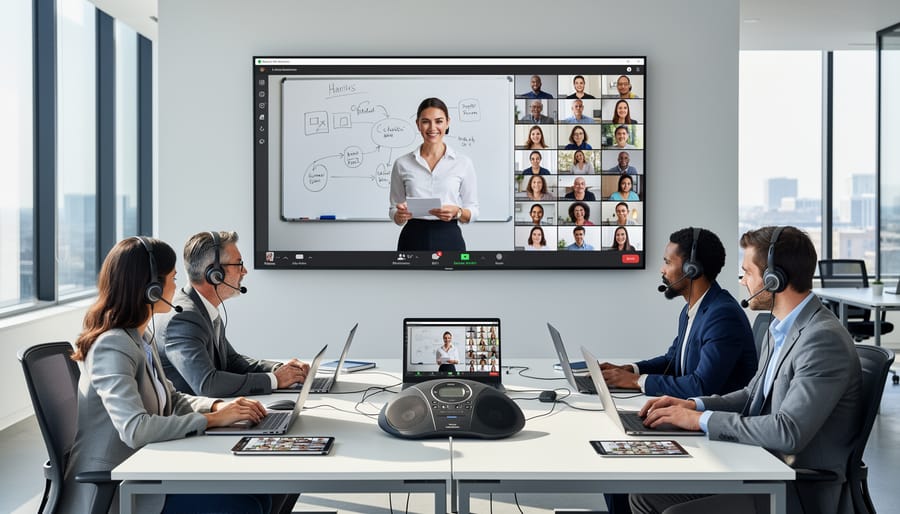
Video conferencing infrastructure demands careful capacity planning, especially when your organization regularly hosts large training sessions or multiple simultaneous classes. Most LMS platforms with video capabilities impose concurrent user limits, the maximum number of participants who can join live sessions at the same time, and these limits vary dramatically between pricing tiers.
Start by auditing your training calendar. Count how many learners you need to accommodate during peak periods, not average usage. If you run quarterly onboarding sessions with 200 new hires while simultaneously delivering departmental training to 150 employees, you need capacity for 350 concurrent users minimum. Build in 20-30% headroom for growth and unexpected demand spikes.
Bandwidth requirements scale exponentially with participant count and video quality. A single HD video stream consumes 3-4 Mbps, but a 100-person session with multiple cameras active can require 50-100 Mbps of stable upload bandwidth from your presenters. Test your network capacity under realistic conditions, especially if instructors teach from home offices.
Watch for artificial throttling in pricing tiers. Some vendors advertise “unlimited users” but cap concurrent session sizes at 25 or 50 participants, forcing you to split large training events across multiple rooms. Others charge overage fees when you exceed your licensed capacity during live events, creating unpredictable costs during your busiest training periods.
Recording, Archiving, and Content Reuse

The ability to automatically record live sessions transforms synchronous learning events into lasting educational assets. When evaluating video-enabled LMS platforms, verify that recording starts with a single click and captures both the instructor’s video and shared content without manual intervention. Some systems record locally, requiring upload and processing steps that delay availability, while cloud-based recording makes sessions accessible to learners within minutes of ending.
The real value emerges when recorded sessions integrate seamlessly into your course structure. Look for platforms that automatically add recordings to the corresponding course module, preserving context and enrollment permissions. This eliminates the manual work of downloading, storing, and re-uploading files. Advanced systems generate automatic transcripts that make video content searchable, learners can find specific topics within a 90-minute session by searching for keywords rather than scrubbing through the entire recording.
Consider how the platform handles video editing and highlights. Can instructors trim dead air from the beginning and end? Can they extract short clips to create targeted micro-learning modules from longer sessions? Storage capacity matters too, especially for organizations running frequent training. Unlimited cloud storage sounds ideal until you discover it carries significant per-user monthly fees. Calculate your expected recording volume and compare storage limits against projected costs to avoid budget surprises six months after implementation.
Interactive Features and Engagement Tools

The tools that keep learners active during live sessions directly impact retention and outcomes. Start by checking whether the platform supports breakout rooms, smaller groups where participants can discuss case studies, complete exercises, or work through problems collaboratively. Without this feature, you’re stuck with lecture-only formats that don’t scale well for skill development.
Polling and quiz tools let you check comprehension in real time and adjust your teaching on the fly. Look for platforms that display results instantly and can export poll data to your LMS gradebook. Whiteboarding and annotation features matter most for technical training, design instruction, or any content requiring visual explanation. Test whether multiple users can draw simultaneously and if whiteboards save automatically to course materials.
Screen sharing should work smoothly in both directions, instructors presenting and learners demonstrating work. Chat functionality needs moderation controls, private messaging options, and the ability to save transcripts for later review. These interactive elements affect both course completion costs and overall elearning engagement so prioritize platforms where these tools integrate naturally rather than feeling bolted on. During vendor demos, run actual training scenarios with multiple participants to see how well each feature performs under realistic conditions.
Analytics and Attendance Tracking
Video session analytics separate basic platforms from true learning tools. Look for systems that automatically capture attendance with timestamps showing when each participant joined and left, essential for compliance training where you need proof of completion, not just a name on a roster.
Engagement metrics reveal what attendance records miss: who actively participated versus who left their camera off for an hour. Better platforms track chat contributions, poll responses, hand raises, and breakout room participation. These data points help instructors identify disengaged learners who need intervention.
The critical feature is integration with your LMS gradebook and reporting dashboards. Live session data should flow directly into the same analytics you use for coursework, creating a complete picture of learner progress. If video attendance lives in a separate system requiring manual exports, you’ll waste administrative hours reconciling records and miss patterns that span both live and asynchronous learning.
Types of LMS Video Conferencing Solutions
All-in-One Platforms with Native Video
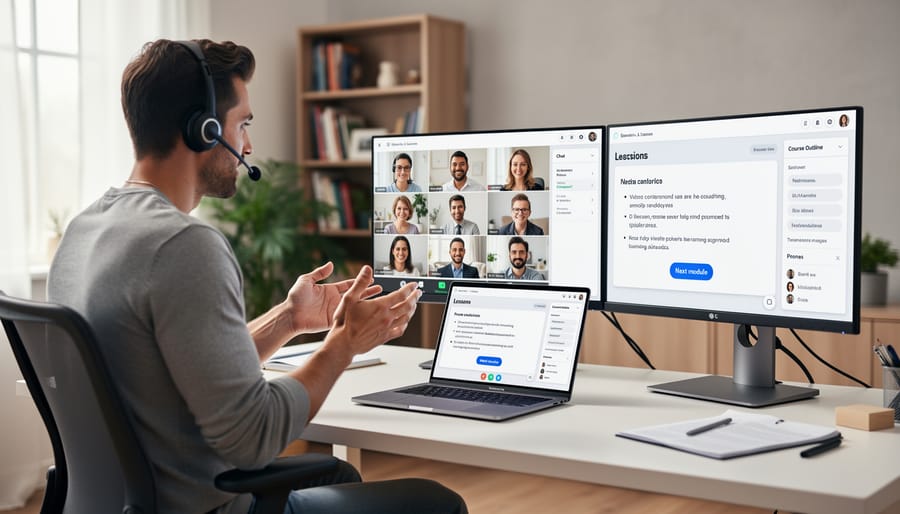
All-in-one platforms embed video conferencing directly into their LMS infrastructure, creating a single login and unified interface for both course management and live sessions. These systems, such as TalentLMS, LearnUpon, and Adobe Captivate Prime with its Connect integration, promise a seamless experience where instructors launch webinars from within course modules, attendance syncs automatically to learner records, and recordings appear instantly in the content library without manual uploads or third-party authentication.
The main advantage is simplicity. Administrators manage one vendor relationship, one security policy, and one set of user permissions. Learners don’t bounce between platforms, which reduces friction and support tickets. Session data flows natively into analytics dashboards, making it easier to track engagement patterns and identify when a growth employee is actively participating in live training versus passively consuming on-demand content.
The trade-off is feature depth. Purpose-built conferencing tools like Zoom or Teams invest heavily in latency optimization, breakout room management, and accessibility features. Native LMS video engines often lag behind in concurrent user capacity, video quality under poor network conditions, and advanced moderation controls. If your training relies on complex interactive sessions or serves thousands of simultaneous participants, an all-in-one platform’s video component may feel limiting compared to dedicated conferencing software.
LMS with Seamless Third-Party Integrations
Many learning platforms take a best-of-both-worlds approach by building deep API connections to dedicated video conferencing tools rather than developing their own meeting technology. These LMS platforms connect to Zoom, Microsoft Teams, WebEx, or Google Meet through sophisticated integrations that go far beyond simple calendar links.
The integration depth matters significantly. True seamless connections allow instructors to schedule sessions directly from the LMS course builder, automatically enroll registered learners, and push attendance data back to the gradebook without manual exports. Learners click a single button within their course dashboard and land directly in the video room, no separate logins or switching between applications.
This architecture offers several strategic advantages. Your organization gets enterprise-grade video performance from companies that invest hundreds of millions in conferencing infrastructure, while your LMS focuses on what it does best: course delivery, content sequencing, and learning analytics. When Microsoft or Zoom releases a new feature like AI-powered transcription or virtual backgrounds, you get it immediately without waiting for your LMS vendor to rebuild the functionality.
The trade-off involves licensing complexity. You typically pay for both the LMS subscription and separate video conferencing seats, though volume discounts and bundled pricing often mitigate this concern. Technical dependencies also require attention, if your video provider experiences an outage, your live sessions stop regardless of LMS uptime.
Look for platforms that automatically capture session recordings, sync them to course libraries, and link attendance records to completion tracking. The integration should feel invisible to end users.
Video Conferencing Platforms with Learning Extensions
The reverse strategy, starting with robust video conferencing technology and layering in learning management capabilities, has gained traction as remote work normalized live online training. Platforms like Zoom and WebEx recognized that organizations were already conducting training sessions through their tools and built features to support that workflow more completely.
Zoom, for instance, now offers course creation tools, registration management, and basic progress tracking through its Zoom Meetings and Webinars products. Instructors can schedule recurring class sessions, collect attendance data automatically, and even issue completion certificates for training programs. WebEx Training Center similarly provides registration workflows, breakout session management, and post-session surveys that function much like simpler LMS features.
This approach works well when your primary need is delivering high-quality live instruction with minimal asynchronous content. The video experience typically outperforms LMS-native conferencing because that’s the platform’s core expertise, screen sharing is smoother, audio quality is better, and instructors already know the interface. You avoid forcing trainers to learn entirely new software.
However, these platforms remain video-first in their DNA. Course authoring tools are limited compared to dedicated LMS platforms, expect basic pages and file uploads rather than sophisticated SCORM content or adaptive learning paths. Assessment capabilities usually stop at simple quizzes. Reporting focuses heavily on session attendance rather than comprehensive learning analytics that track knowledge progression over time.
Consider this route if you run instructor-led training programs where live sessions are the primary learning method and you need only lightweight tracking of who attended which classes. It’s less suitable when you need rich multimedia courses, granular competency tracking, or integration with HR systems for compliance reporting.
Matching Solutions to Your Organization’s Needs
For Corporate Training Departments
Corporate training departments need LMS platforms that balance structure with flexibility. Your priority should be systems that support rapid onboarding cycles while accommodating ongoing professional development programs running in parallel.
Look for platforms with role-based access controls and departmental hierarchies. You’ll want to segment your workforce, sales team training differs fundamentally from compliance requirements for operations staff. The video conferencing component should support both small team sessions (5-15 participants for skills workshops) and larger all-hands training events (100+ for company-wide initiatives).
Blended learning capabilities matter more here than in other contexts. Employees rarely have dedicated training time, so you need seamless transitions between live instructor-led sessions and self-paced modules. The best corporate solutions let you record a live product training session on Monday, then automatically make it available as on-demand content by Tuesday morning for employees who couldn’t attend.
Manager visibility becomes crucial. Your LMS should show team leads which direct reports completed required training, who attended live sessions, and where knowledge gaps exist. Integration with your HR systems and single sign-on through Microsoft 365 or Google Workspace isn’t optional, it’s table stakes for user adoption in corporate environments.
Budget for dedicated internal champions who’ll create content and troubleshoot technical issues as your program scales.
For Higher Education Institutions
Universities and colleges face distinct challenges that corporate training environments don’t encounter. Class sizes can range from intimate seminars of 15 students to lecture halls with hundreds of simultaneous participants, demanding platforms that maintain video quality and interactivity at scale without degradation.
Academic calendar integration becomes crucial, your LMS must handle semester transitions smoothly, with automated course archiving, rollover capabilities for recurring courses, and term-based access controls. Look for systems that can manage pre-registration periods, add/drop deadlines, and grading workflows tied to your institutional calendar.
Student collaboration tools deserve special attention. Beyond instructor-led lectures, higher education relies heavily on peer learning. Prioritize platforms offering persistent breakout rooms for group projects, shared whiteboards for collaborative problem-solving, and recording permissions that let student presenters lead discussions without full administrative access.
Accessibility compliance isn’t optional in academic settings. Ensure your chosen platform meets WCAG standards with live captioning, screen reader compatibility, and keyboard navigation. Many institutions face legal requirements under ADA or similar regulations.
Consider integration with campus-wide systems like student information databases, library resources, and single sign-on authentication through campus credentials. The platform should feel like part of your existing academic infrastructure, not an isolated tool requiring separate logins and manual roster management.
For Compliance and Certification Training
Organizations in heavily regulated industries, healthcare, financial services, manufacturing, government contracting, face unique demands when selecting video-enabled learning platforms. Your LMS must generate audit trails that document not just course completion, but verified attendance and participation in live training sessions.
Identity verification becomes critical during certification training. Look for platforms that require multi-factor authentication at session start, not just initial login. Some systems capture periodic authentication checks throughout longer sessions, preventing credential sharing. Proctoring features like random video snapshots or AI-based attention monitoring may be necessary for high-stakes certifications, though balance security needs against privacy concerns and learner trust.
Session recordings require tamper-proof timestamping and immutable storage. When an auditor questions whether an employee completed safety training, you need verifiable proof showing they attended the live session, participated in required activities, and passed assessments. The best platforms create comprehensive activity logs that track poll responses, breakout room participation, and quiz attempts during live training events.
Certificate management should automatically trigger upon verified session completion and assessment passage. Your system needs to track certificate expiration, send renewal notifications, and maintain complete historical records even for employees who’ve left the organization. When regulatory bodies request training documentation from three years ago, retrieval should take minutes, not days of manual record-hunting through disparate systems.
Common Pitfalls When Selecting Video-Integrated LMS Platforms
Overlooking Mobile and Remote User Experience

Organizations often make their purchasing decisions after testing platforms exclusively in ideal conditions, corporate networks with reliable bandwidth and desktop computers. This controlled environment fails to reveal how the LMS performs for the distributed workforce it needs to serve.
Remote workers frequently access training from home networks with inconsistent speeds, shared bandwidth, and older routers. Mobile learners join sessions from smartphones during commutes or tablets between shifts. These real-world scenarios can expose critical platform weaknesses that never surface during office-based demos.
A system that delivers smooth video in the IT department may become unusable when accessed over cellular data or rural broadband connections. Mobile interfaces that seem adequate on a large tablet often prove frustrating on a smartphone screen, where navigating course materials while participating in video becomes genuinely difficult.
Test your shortlist platforms from multiple locations using various devices and connection types before committing. Have remote team members join trial sessions from their actual work environments. Check whether the mobile app offers feature parity with the desktop version or strips away essential interactive tools. Verify that adaptive streaming adjusts video quality based on available bandwidth rather than dropping connections entirely.
Underestimating Training and Adoption Time
Organizations often budget for software licenses and implementation fees while overlooking the substantial time investment required for users to become proficient with video-enabled LMS platforms. Instructors need training not just on technical operations, launching sessions, managing breakout rooms, sharing screens, but on pedagogical techniques for engaging learners in virtual environments. This learning curve can span weeks or months, during which training quality may suffer.
Learner onboarding represents another hidden cost. Even tech-savvy employees struggle with unfamiliar interfaces, audio troubleshooting, and navigating between live sessions and course materials. Plan for at least two to three practice sessions before rolling out critical training programs, and budget staff time to create quick-reference guides and respond to support tickets.
Change management compounds these challenges. Trainers accustomed to in-person instruction may resist video-based delivery, while learners comfortable with existing tools view new platforms as unnecessary complexity. Successful adoption requires executive sponsorship, clear communication about why the change matters, and incentives for early adopters who champion the new system. Organizations that allocate adequate time for this transition, typically three to six months for full adoption, see significantly higher utilization rates and better training outcomes than those expecting immediate productivity.
Ignoring Data Privacy and Compliance Requirements
Data privacy violations can trigger six- and seven-figure fines, yet many buyers focus entirely on features while glossing over how platforms handle recorded video sessions containing faces, voices, and personal discussions. If your organization operates in healthcare, education, finance, or serves EU residents, compliance isn’t optional, it’s foundational.
GDPR requirements mean you need explicit consent mechanisms before recording, data processing agreements with your vendor, and the ability to delete specific participants from archived sessions upon request. FERPA-regulated institutions must ensure student video recordings have restricted access controls and can’t be shared without authorization. HIPAA-covered entities recording training that involves patient information need encryption both in transit and at rest, plus audit logs showing who accessed which sessions.
Before signing a contract, verify the vendor’s certifications (SOC 2, ISO 27001), confirm where video data is stored geographically, and understand their data retention policies. Ask whether you can configure automatic deletion schedules and whether the platform supports redaction tools for removing sensitive portions of recordings. Organizations pursuing high-growth learning initiatives can’t afford regulatory setbacks that pause deployment while you scramble for compliance documentation after the fact.
Implementation Best Practices
Start with a structured pilot phase involving 15-25 power users from different departments or learning contexts. Run at least three live sessions during the pilot to surface real-world issues, bandwidth constraints, browser compatibility problems, and workflow friction that demos never reveal. Collect specific feedback on instructor controls, learner experience, and technical glitches before committing to a full rollout.
Create role-specific training paths rather than one generic orientation. Instructors need hands-on practice with breakout room management, screen sharing, and troubleshooting common learner issues. Administrators require training on attendance reporting, recording management, and user provisioning. Learners benefit from a five-minute quick-start video covering how to join sessions, test audio/video, and access recordings, nothing more.
Phase your rollout by priority use case, not by department. Launch with your most video-dependent training programs first, whether that’s weekly team standups, compliance refreshers, or new hire onboarding. This builds institutional expertise around live learning before expanding to optional or experimental applications.
Establish clear protocols before launch: Who can schedule sessions? What’s the recording retention policy? When should breakout rooms be used versus whole-group discussion? Document these decisions in a one-page reference guide that both instructors and learners can access. Without defined guardrails, you’ll see inconsistent practices that confuse participants and create support headaches.
Monitor your first 30 days of live sessions closely. Track completion rates, average attendance duration, and technical support tickets. If learners consistently drop off after 20 minutes, your sessions may be too long or insufficiently interactive. If support tickets spike around audio issues, you may need better pre-session tech checks or clearer device recommendations.
Optimize based on usage patterns, not assumptions. If recorded sessions get 3x more views than live attendance, consider flipping your approach, shorter live Q&A sessions with pre-recorded content. As automated education features mature within these platforms, look for opportunities to automate routine tasks like attendance reminders or post-session follow-ups, freeing instructors to focus on interaction quality.
What to Look For
When choosing an LMS with video conferencing, prioritize integration architecture first. Native video conferencing offers seamless user experience and unified data, but limits you to one vendor’s technology. Deep third-party integrations with Zoom or Microsoft Teams provide best-of-breed conferencing while maintaining connection to your learning environment. Test how enrollment, attendance tracking, and completion data flow between systems, broken data pipelines create administrative nightmares.
Examine scalability honestly. Run pilot sessions at your peak anticipated load, not just comfortable demo sizes. Platforms that handle 50 concurrent users smoothly may buckle at 200. Factor in bandwidth costs, especially for organizations with distributed teams on residential internet connections.
Interactive features separate passive webinars from genuine learning experiences. Look for breakout rooms, real-time polling, collaborative whiteboards, and moderated Q&A, tools that instructors actually use. Review recorded session libraries: searchable transcripts, automatic chaptering, and easy republishing as course content maximize your investment in live training events.
Don’t overlook mobile performance. Many learners join from phones during commutes or between shifts. Analytics integration matters too, video session data should feed the same dashboards as your asynchronous course metrics, creating complete learner profiles that inform both content strategy and eLearning marketing growth initiatives.
Main Options Compared
When evaluating LMS platforms with video conferencing, you’ll encounter three distinct architectural approaches, each with different trade-offs.
All-in-one platforms like TalentLMS and Adobe Learning Manager build video conferencing directly into their core product. You get a unified interface where learners never leave the LMS environment, simplifying the user experience and centralizing all training data in one system. However, the video quality and feature set typically lag behind specialized conferencing tools, and you’re locked into whatever the vendor provides.
Integration-focused LMS platforms such as Moodle, Canvas, and Docebo connect to established video tools like Zoom or Microsoft Teams through deep API integrations. This approach delivers professional-grade video conferencing with features like advanced breakout rooms and robust screen sharing, while maintaining your LMS as the learning hub. The downside is managing two vendor relationships and potential integration hiccups during updates.
Video-first platforms with learning features represent the reverse strategy. Zoom Workplace and Webex Suite have added course creation, progress tracking, and content libraries to their conferencing foundations. These work well for organizations already standardized on a particular video platform, though the learning management capabilities remain less mature than purpose-built LMS systems.
Selecting an LMS with video conferencing capabilities is more than a technology purchase, it’s an investment in how your organization delivers knowledge and builds learning communities. The right platform transforms training from a content-delivery exercise into an interactive experience that connects instructors with learners in real time, regardless of location.
Throughout this guide, we’ve outlined a clear decision framework: understanding the difference between native video and third-party integrations, evaluating technical requirements like scalability and recording capabilities, matching solutions to your organizational context, and avoiding common pitfalls that derail implementations. These considerations work together to help you identify platforms that align with both your immediate training needs and long-term learning strategy.
No amount of vendor demos or feature lists can replace hands-on testing with your actual use cases. Before committing, run pilot programs that mirror your real training scenarios, whether that’s onboarding sessions with remote employees, compliance workshops with mandatory attendance tracking, or university lectures with hundreds of concurrent participants. Test on the devices and networks your learners actually use, not just in ideal conditions.
The platforms that look identical in comparison charts often perform very differently when you’re managing breakout rooms for 50 people or trying to retrieve a specific moment from a recorded session. Your specific context, industry regulations, technical infrastructure, instructor skill levels, learner expectations, will ultimately determine which solution delivers the most value. Prioritize that real-world validation before you sign.
Frequently Asked Questions
How much should I expect to pay for an LMS with video conferencing?
Pricing varies dramatically based on whether you choose a native solution or an integration approach. All-in-one platforms with built-in video typically range from $3 to $15 per user monthly for small to mid-sized organizations, with enterprise pricing often negotiated separately based on concurrent session needs and storage requirements. If you opt for an LMS that integrates with third-party video tools, factor in separate licensing costs, your LMS subscription plus Zoom, Teams, or WebEx fees, which can actually increase total cost but may provide better video quality and reliability.
The hidden costs matter as much as the sticker price. Recording storage can escalate expenses quickly, especially if your organization runs frequent training sessions or needs to retain video archives for compliance. Some vendors charge per gigabyte for cloud storage beyond a base allocation, while others include unlimited storage but limit retention periods. Implementation fees, instructor training, and technical support should also enter your budget calculations, particularly for complex deployments across multiple departments or locations.
What bandwidth is required for reliable video conferencing in an LMS?
Plan for minimum upload speeds of 3-4 Mbps per instructor and 1.5-2 Mbps download per learner for standard definition video, with at least 5-8 Mbps upload for HD quality. Organizations should test their network capacity during peak usage times before committing to a platform.
Can learners access content if they miss a live session?
Most platforms automatically record sessions and make them available as on-demand content within the course structure, though this feature varies by vendor. Check whether recordings are searchable, how long they’re retained, and if transcripts or captions are generated automatically.
What are typical maximum participant limits for video sessions?
Native LMS video conferencing typically supports 50-100 simultaneous participants reliably, while enterprise integrations with Zoom or Teams can handle 500-1,000 or more depending on your licensing tier. Your actual limit should align with your largest anticipated training session size.
How difficult is migrating from our current LMS to a video-enabled platform?
Migration complexity depends on your existing course structure, user data volume, and whether your new platform supports standard formats like SCORM or xAPI. Most vendors offer migration assistance, but expect 4-12 weeks for data transfer, testing, and instructor retraining.
Beyond these fundamentals, dig into the specifics that affect your particular training model. If you run certification programs, verify that the platform can restrict fast-forwarding through recorded sessions and track actual viewing time, not just whether someone opened the video. For global teams, confirm that the video infrastructure has servers in your learners’ regions to minimize latency, a platform that works flawlessly for North American users might struggle with teams in Southeast Asia or Latin America.
Technical requirements extend beyond bandwidth to device compatibility and browser support. Does the video conferencing work on tablets and smartphones without requiring app downloads? Can instructors present from Chromebooks, or is Windows or Mac required? These practical constraints often emerge only during pilot testing, so build time into your evaluation process for real-world trials across your organization’s actual hardware and network conditions.
The recording and archiving capabilities deserve special scrutiny if you’re in a regulated industry. Some platforms automatically purge video recordings after 90 days unless you manually archive them, while others retain everything indefinitely. Understand where video files are physically stored, whether they’re encrypted at rest and in transit, and how you can bulk export content if you later switch providers. The last question might seem premature when you’re just selecting a platform, but vendor lock-in through proprietary video formats has trapped more than one organization into expensive long-term contracts.